Using a coupon code
Coupon codes from campaigns are entered on the checkout page when you buy a course. A code cannot be applied after the purchase, so enter it before you pay.
Coupon codes work only on the courses announced as eligible. The checkout page of other courses has no code field.
1. Go to checkout from the course page
Section titled “1. Go to checkout from the course page”Press “Enroll” on the course page to open the checkout page.
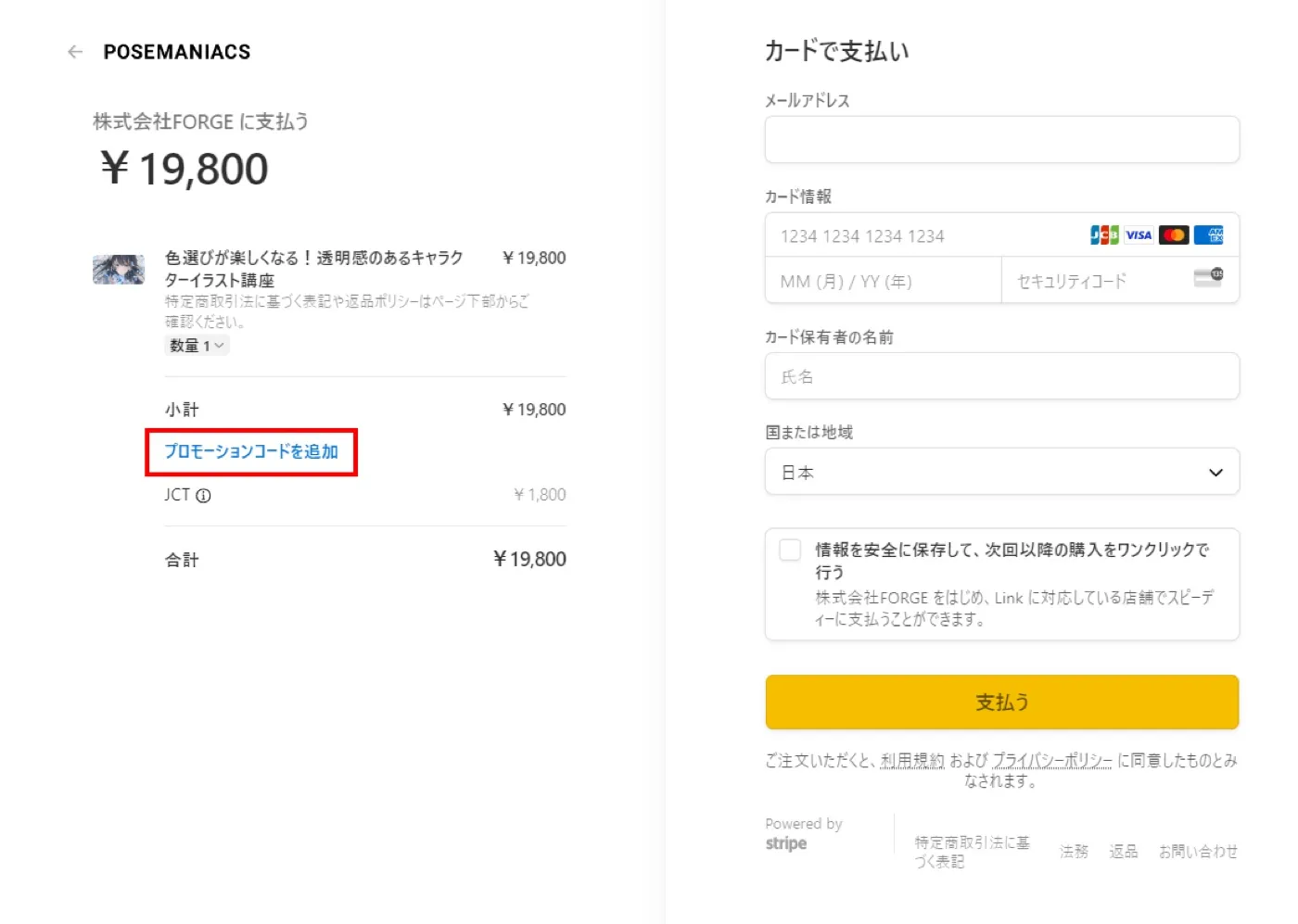
2. Enter the coupon code and apply it
Section titled “2. Enter the coupon code and apply it”On the left side of the checkout page, under the course name and price, there is a code field. Enter the coupon code and press “Apply”.
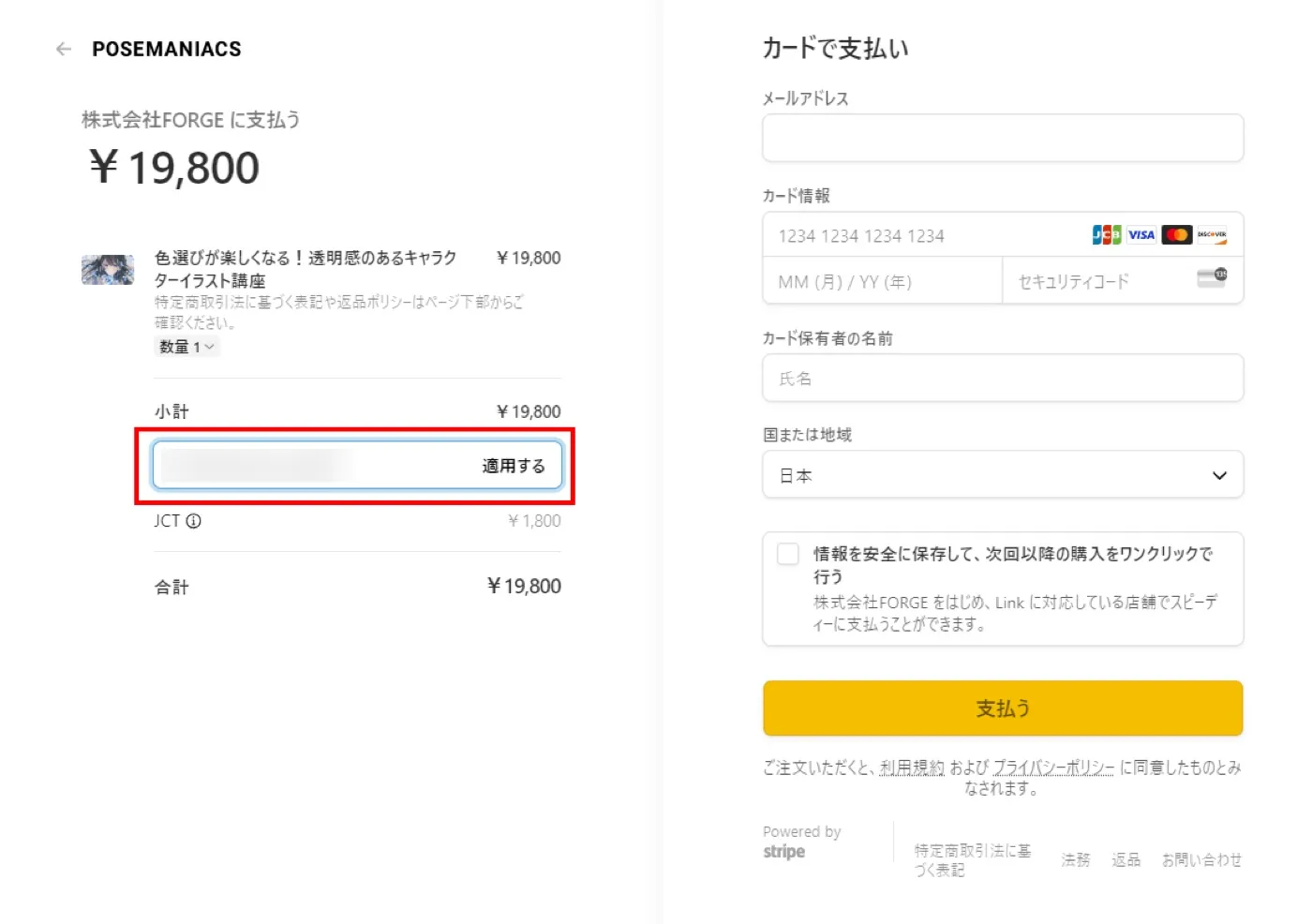
3. Check the discount, then pay
Section titled “3. Check the discount, then pay”Make sure the discount is applied and the total has gone down, then press “Pay”.
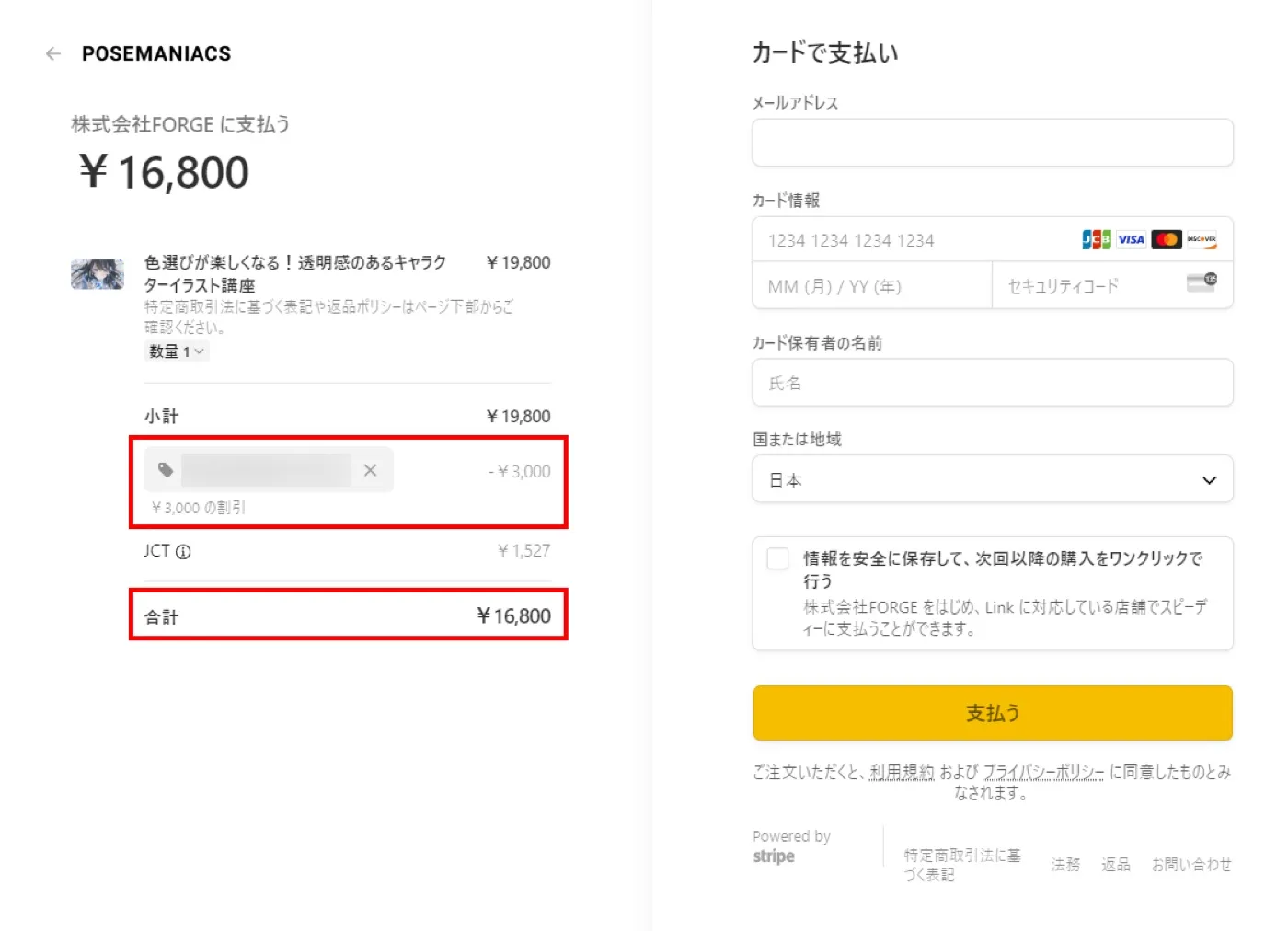
When it does not work
Section titled “When it does not work”| What you see | What to check |
|---|---|
| There is no code field | The course is not eligible for coupons. Check the announcement for the eligible courses |
| The code is reported as invalid | Check upper and lower case and leading or trailing spaces. The code may also have expired |
| You noticed the code after paying | A code cannot be applied after purchase. Contact us |