When the pose viewer or 30-second drawing does not work
The pose viewer and the 30-second drawing tool run a 3D model inside your browser. Old data kept by the browser, or your computer’s graphics settings, can stop them from working. Most problems go away after a page reload and clearing the cache.
If none of this helps, use the bug report form at the bottom of the viewer page and tell us what happened, plus your device and browser.
The pose is shown all black
Section titled “The pose is shown all black”The model’s textures (surface images) failed to load. Reload the page.
If a reload does not fix it, clear the cache and open the page again. If it still happens, send a bug report.
The loading percentage stops partway
Section titled “The loading percentage stops partway”While the viewer loads, a number such as “87 %” is shown. If it stays stuck, the model or image data could not be fetched, or broken data is stored in your browser.
- Reload the page
- If that does not help, clear the cache and open the page again
This also happens when the site is busy. Please wait a little and try again.
“Sorry! Something went wrong.” is shown
Section titled ““Sorry! Something went wrong.” is shown”This screen appears when the viewer stops partway. The error details are shown with it.
- Press the “reload” button on that screen
- If it keeps happening, send a bug report and include the error text shown on the screen
A short text appears instead of the pose
Section titled “A short text appears instead of the pose”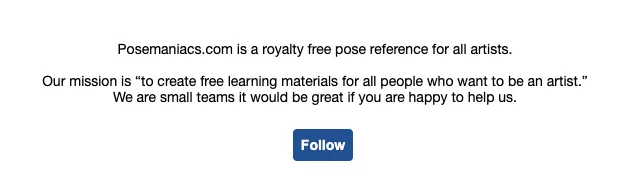
The URL is wrong, or the site is temporarily too busy to show the pose. Reload the page, or wait a little and try again.
Poses do not appear in the 30-second drawing tool
Section titled “Poses do not appear in the 30-second drawing tool”As with the viewer, data may have failed to load and the failed result is kept by the browser. Clear the cache and try again.
An error appears during the 30-second drawing countdown
Section titled “An error appears during the 30-second drawing countdown”This happens when your browser’s automatic translation (such as Google Translate) is on. Automatic translation rewrites the text on the page and conflicts with the countdown display.
Turn off automatic translation and use the language switch in the POSEMANIACS header instead.
The menu is mistranslated
Section titled “The menu is mistranslated”Browser automatic translation can mistranslate menu labels. Pick your language from the language switch in the header to get the labels POSEMANIACS provides.
The computer fan gets loud, or everything is slow
Section titled “The computer fan gets loud, or everything is slow”POSEMANIACS uses the GPU (graphics processor) for 3D calculations. When the GPU is not available, the CPU does the work instead, which is very slow.
- Older computers, or inexpensive computers that cannot run games well, may not have a supported GPU
- Hardware acceleration may be turned off in Chrome
To check in Chrome:
- Open “Settings” from the “⋮” menu at the top right
- Type “hardware acceleration” in the settings search box
- If “Use graphics acceleration when available” is off, turn it on
- Restart the browser
The negative space view flickers
Section titled “The negative space view flickers”This is usually the GPU issue above. On devices without a supported GPU, the negative space view is not supported.
Even with a supported GPU, running other GPU-heavy software at the same time (games, streaming, video playback) can cause flickering. Close the other software and try again.
Does it work on older devices?
Section titled “Does it work on older devices?”With the OS and browser up to date, smartphones and tablets released in the last 4 to 5 years run the site reliably.
On computers, older or inexpensive models without a supported GPU can be unstable or slow.